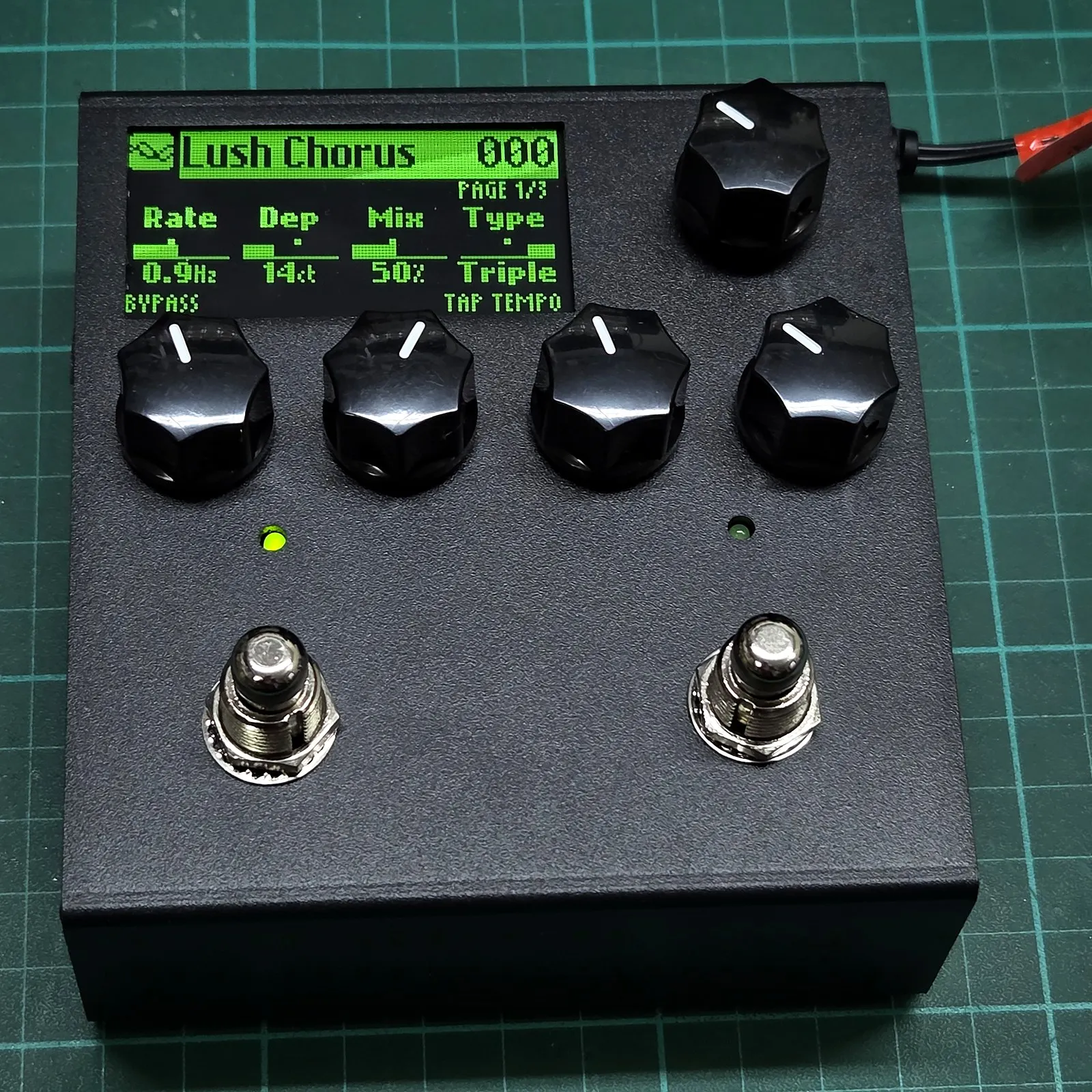
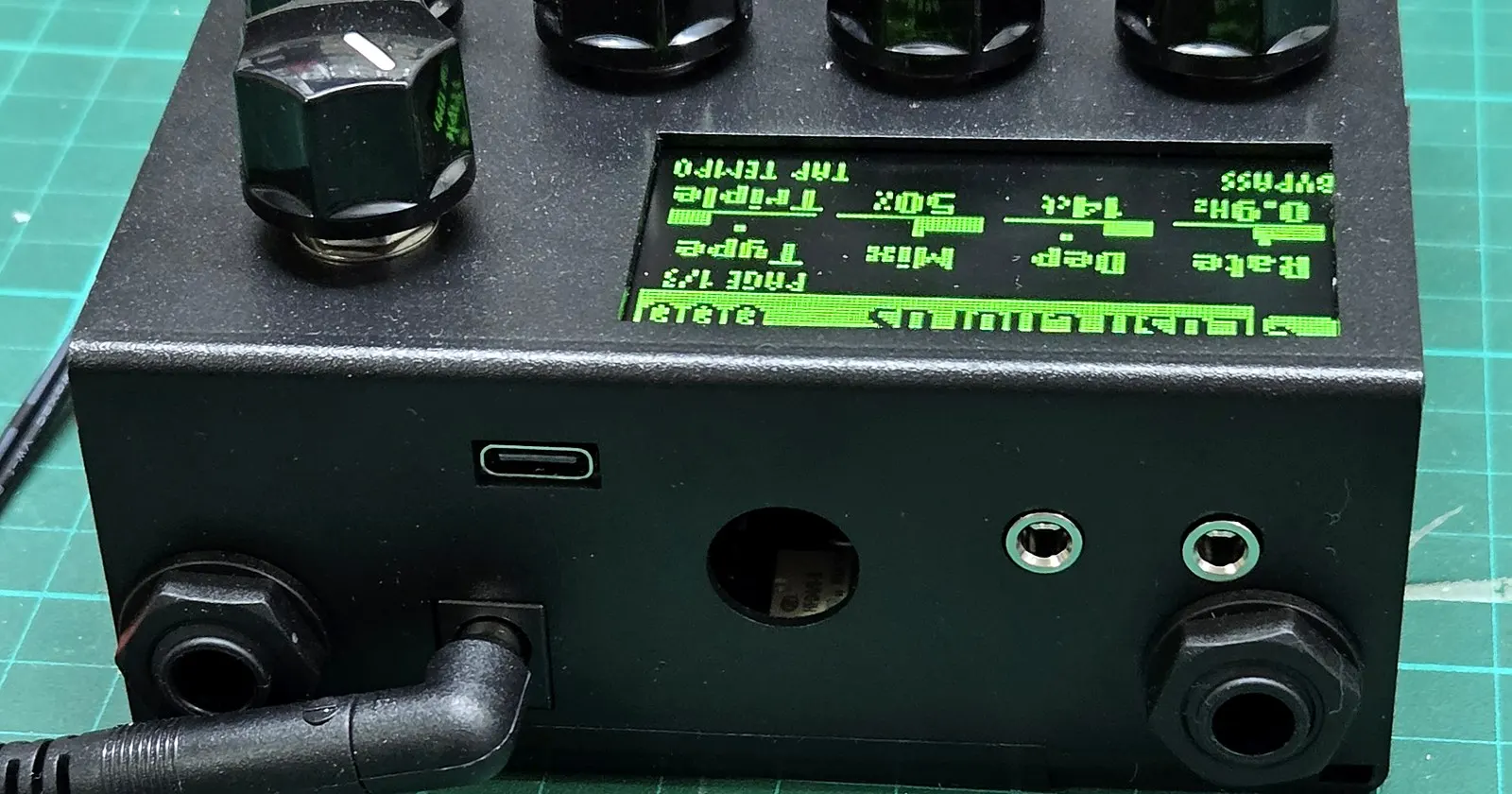
The Kill Room Analog Multi Effect from above: OLED display, four knobs, push encoder, and two footswitches.

In development

Analog Multi Effect

Pure analog architecture. Total digital recall.

Chorus, flanger, delay, reverb, analog pitch shifting, FM synthesis, granular effects — whatever your music demands. The Kill Room Analog Multi Effect delivers the versatility, preset storage, and MIDI automation of a modern digital processor, while keeping your audio signal entirely in the analog domain.

$399
USD (Targeted) • Est. November 2026
100% Analog Audio PathZero Latency
3× 2048-Stage BBD LinesAnalog Silicon
Modulation Matrix8 routes · 21 sources
3.5mm TRS MIDI (Type A)Sync & control
Power Requirement9V DC Centre-Neg

Signal Architecture

Analog signal path

Your audio signal remains 100% analog from input jack to output jack.

While the processor samples the input to track pitch and signal envelope for dynamic modulation, that sampled data is never output. Your instrument's sound flows uninterrupted through a high-impedance input buffer, studio compander, three 2048-stage bucket-brigade delay lines, two active analog filters, and eight VCAs. The high-speed digital supervisor sets timing, feedback paths, and gain levels with microscopic precision.

Block diagram of the Analog Multi Effect signal pathThe input jack feeds a bypass relay and an input buffer. After the buffer the signal splits: a dry lane runs down the right through its own gain stage into the output mixer, and a wet lane runs through a compressor, a filter, three bucket-brigade delay lines each with its own gain stage, and a second filter. The reconstructed wet signal then passes an expander before joining the mixer, and also feeds a regeneration lane that returns it to the input of the compressor through a further gain stage. The relay's other throw connects the input jack straight to the output jack.VCABBD 1BBD 2BBD 3Bypass relayInput bufferCompressorFilterFilterexpandermixINPUTOUTPUT12345
  1. Dry VCA — dry mix level and unity gain staging.
  2. Feedback VCA — continuous analog regeneration and oscillation control.
  3. Relay true bypass — mechanical input-to-output hardwire switching.
  4. Three 2048-stage bucket-brigade delay lines — parallel or series routing, each driven through an independent VCA.
  5. Wet VCA — wet level blend and dynamic downward expansion, restoring full transient dynamics while silencing background noise.

Algorithms

An expanding analog library.

Lush spatial modulations. Warm tape and granular echoes. Expansive ambient spaces. Analog pitch shifting.

Each algorithm reconfigures the physical BBD lines, VCAs, and active filters into a dedicated circuit topology. Save and recall custom variations across preset slots, with instant seamless switching and continuous MIDI control.

Expand any algorithm below to inspect its parameter pages directly from the pedal’s OLED display.

Modulation

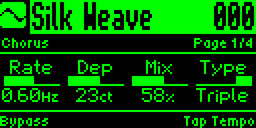
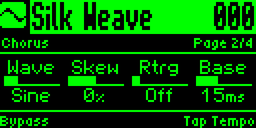
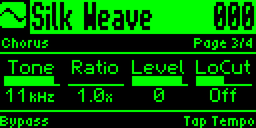
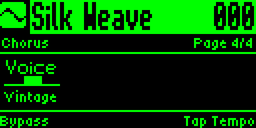
ChorusAnalog chorus, from one subtle voice to three drifting against each other. Turn the mix all the way up for vibrato.
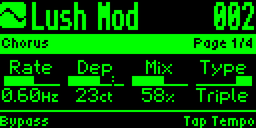
Chorus on the pedal’s display, page 1 of 4
Page 1 of 4
Chorus on the pedal’s display, page 2 of 4
Page 2 of 4
Chorus on the pedal’s display, page 3 of 4
Page 3 of 4
Chorus on the pedal’s display, page 4 of 4
Page 4 of 4
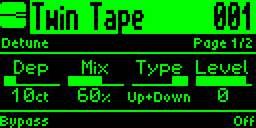
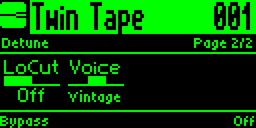
DetuneA steady detuned copy above, below or either side of your signal. Thickens without any wobble.
Detune on the pedal’s display, page 1 of 2
Page 1 of 2
Detune on the pedal’s display, page 2 of 2
Page 2 of 2
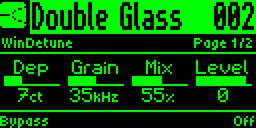
WinDetuneThree detuned copies around your signal, one sitting lower than the rest, for a dense doubled sound.
WinDetune on the pedal’s display, page 1 of 2
Page 1 of 2
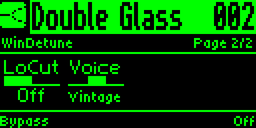
WinDetune on the pedal’s display, page 2 of 2
Page 2 of 2
FlangerClassic flanger, from a hollow sweep to a resonant jet.
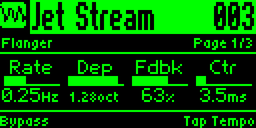
Flanger on the pedal’s display, page 1 of 3
Page 1 of 3
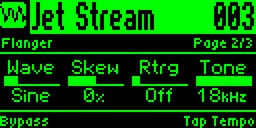
Flanger on the pedal’s display, page 2 of 3
Page 2 of 3
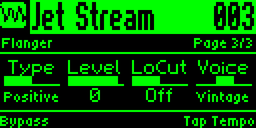
Flanger on the pedal’s display, page 3 of 3
Page 3 of 3
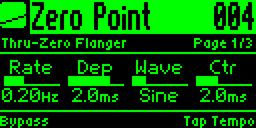
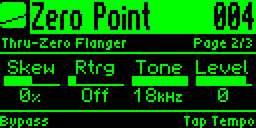
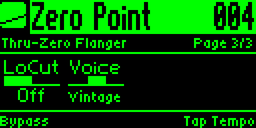
Through-Zero FlangerTape-style flanging with the classic through-zero cancellation.
Through-Zero Flanger on the pedal’s display, page 1 of 3
Page 1 of 3
Through-Zero Flanger on the pedal’s display, page 2 of 3
Page 2 of 3
Through-Zero Flanger on the pedal’s display, page 3 of 3
Page 3 of 3
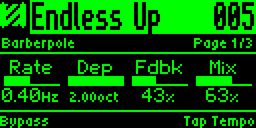
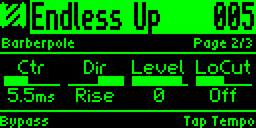
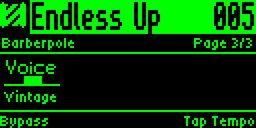
BarberpoleA flanger that keeps rising, or keeps falling, without ever starting over.
Barberpole on the pedal’s display, page 1 of 3
Page 1 of 3
Barberpole on the pedal’s display, page 2 of 3
Page 2 of 3
Barberpole on the pedal’s display, page 3 of 3
Page 3 of 3
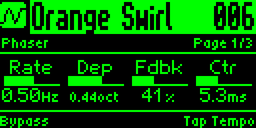
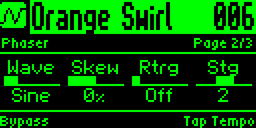
PhaserAnalog phaser, from a slow, gentle swirl to a sharp, resonant sweep. Still quite flanger-y, but with a phaser-y flavour.
Phaser on the pedal’s display, page 1 of 3
Page 1 of 3
Phaser on the pedal’s display, page 2 of 3
Page 2 of 3
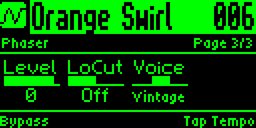
Phaser on the pedal’s display, page 3 of 3
Page 3 of 3
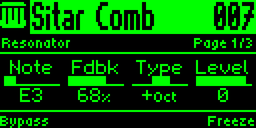
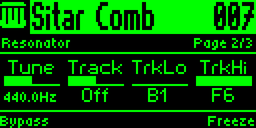
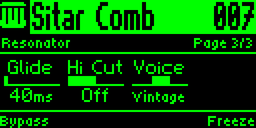
ResonatorRings at a note you choose, or follows the notes you play, like strings ringing in sympathy.
Resonator on the pedal’s display, page 1 of 3
Page 1 of 3
Resonator on the pedal’s display, page 2 of 3
Page 2 of 3
Resonator on the pedal’s display, page 3 of 3
Page 3 of 3
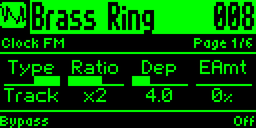
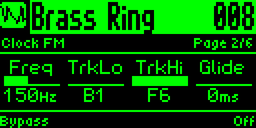
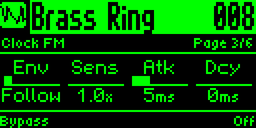
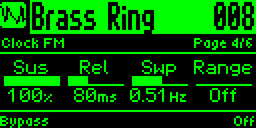
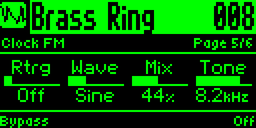
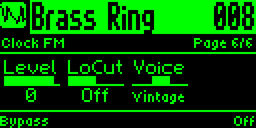
Clock FMMetallic, bell-like, ring-modulated tones that can follow the notes you play.
Clock FM on the pedal’s display, page 1 of 6
Page 1 of 6
Clock FM on the pedal’s display, page 2 of 6
Page 2 of 6
Clock FM on the pedal’s display, page 3 of 6
Page 3 of 6
Clock FM on the pedal’s display, page 4 of 6
Page 4 of 6
Clock FM on the pedal’s display, page 5 of 6
Page 5 of 6
Clock FM on the pedal’s display, page 6 of 6
Page 6 of 6

Amplitude

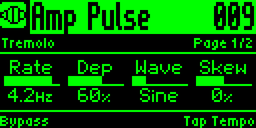
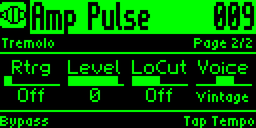
TremoloClassic tremolo, from a smooth pulse to a hard square chop.
Tremolo on the pedal’s display, page 1 of 2
Page 1 of 2
Tremolo on the pedal’s display, page 2 of 2
Page 2 of 2
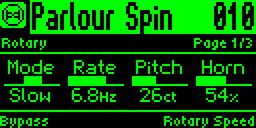
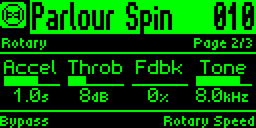
RotaryRotating speaker with slow, fast and brake.
Rotary on the pedal’s display, page 1 of 3
Page 1 of 3
Rotary on the pedal’s display, page 2 of 3
Page 2 of 3
Rotary on the pedal’s display, page 3 of 3
Page 3 of 3

Delay

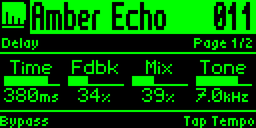
DelayWarm analog delay, up to about 600 ms.
Delay on the pedal’s display, page 1 of 2
Page 1 of 2
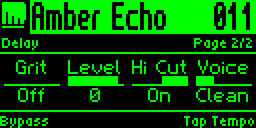
Delay on the pedal’s display, page 2 of 2
Page 2 of 2
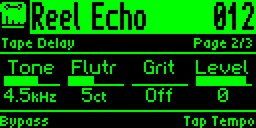
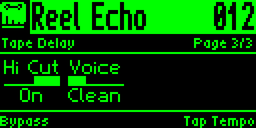
Tape DelayAnalog delay with the wow and flutter of a worn tape machine.
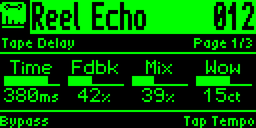
Tape Delay on the pedal’s display, page 1 of 3
Page 1 of 3
Tape Delay on the pedal’s display, page 2 of 3
Page 2 of 3
Tape Delay on the pedal’s display, page 3 of 3
Page 3 of 3
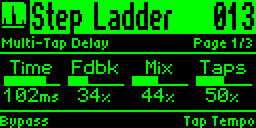
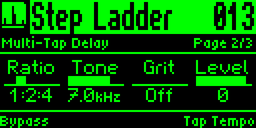
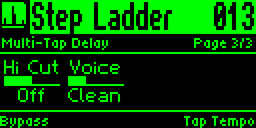
Multi-Tap DelayThree short repeats in a choice of rhythms.
Multi-Tap Delay on the pedal’s display, page 1 of 3
Page 1 of 3
Multi-Tap Delay on the pedal’s display, page 2 of 3
Page 2 of 3
Multi-Tap Delay on the pedal’s display, page 3 of 3
Page 3 of 3
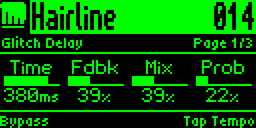
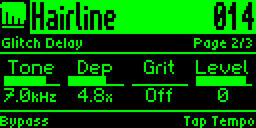
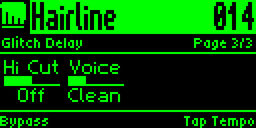
Glitch DelayDelay that randomly catches a repeat and warps its pitch, from the odd glitch to constant tearing.
Glitch Delay on the pedal’s display, page 1 of 3
Page 1 of 3
Glitch Delay on the pedal’s display, page 2 of 3
Page 2 of 3
Glitch Delay on the pedal’s display, page 3 of 3
Page 3 of 3
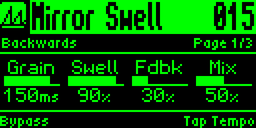
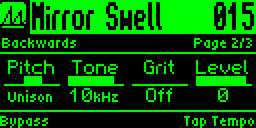
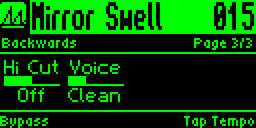
BackwardsReverse delay. Each repeat swells in backwards, at pitch or an octave up or down.
Backwards on the pedal’s display, page 1 of 3
Page 1 of 3
Backwards on the pedal’s display, page 2 of 3
Page 2 of 3
Backwards on the pedal’s display, page 3 of 3
Page 3 of 3
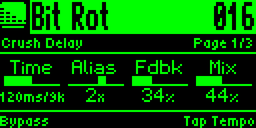
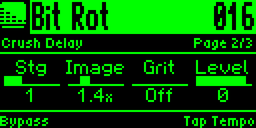
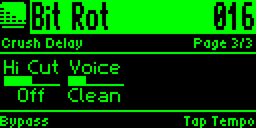
Crush DelayLo-fi delay with crunchy, aliased repeats.
Crush Delay on the pedal’s display, page 1 of 3
Page 1 of 3
Crush Delay on the pedal’s display, page 2 of 3
Page 2 of 3
Crush Delay on the pedal’s display, page 3 of 3
Page 3 of 3
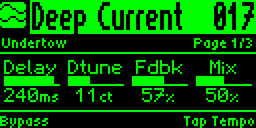
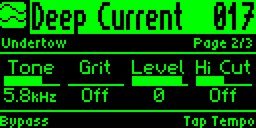
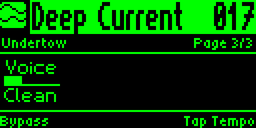
UndertowTwo repeats drifting slightly out of tune, for a detuned wash.
Undertow on the pedal’s display, page 1 of 3
Page 1 of 3
Undertow on the pedal’s display, page 2 of 3
Page 2 of 3
Undertow on the pedal’s display, page 3 of 3
Page 3 of 3

Reverb

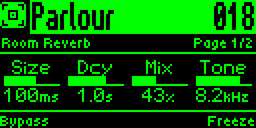
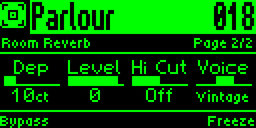
Room ReverbNatural-ish room reverb, from a small, tight space to a bigger room.
Room Reverb on the pedal’s display, page 1 of 2
Page 1 of 2
Room Reverb on the pedal’s display, page 2 of 2
Page 2 of 2
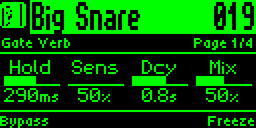
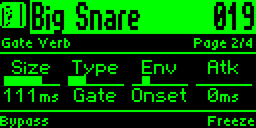
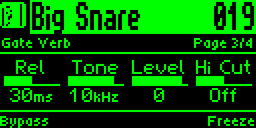
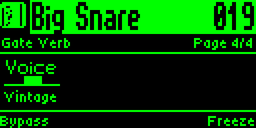
Gate VerbEighties gated reverb, plus reverse and non-linear styles.
Gate Verb on the pedal’s display, page 1 of 4
Page 1 of 4
Gate Verb on the pedal’s display, page 2 of 4
Page 2 of 4
Gate Verb on the pedal’s display, page 3 of 4
Page 3 of 4
Gate Verb on the pedal’s display, page 4 of 4
Page 4 of 4
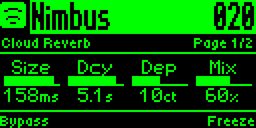
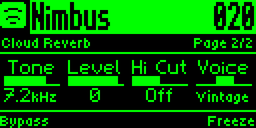
Cloud ReverbDense ambient reverb whose tail slowly drifts in pitch.
Cloud Reverb on the pedal’s display, page 1 of 2
Page 1 of 2
Cloud Reverb on the pedal’s display, page 2 of 2
Page 2 of 2
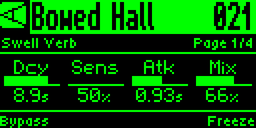
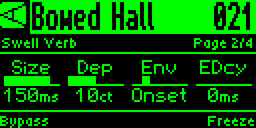
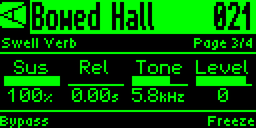
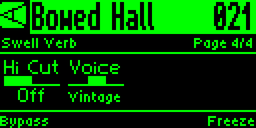
Swell VerbReverb that swells in response to your playing.
Swell Verb on the pedal’s display, page 1 of 4
Page 1 of 4
Swell Verb on the pedal’s display, page 2 of 4
Page 2 of 4
Swell Verb on the pedal’s display, page 3 of 4
Page 3 of 4
Swell Verb on the pedal’s display, page 4 of 4
Page 4 of 4
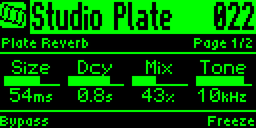
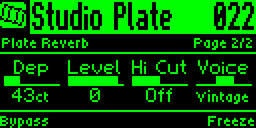
Plate ReverbSmooth, bright plate reverb.
Plate Reverb on the pedal’s display, page 1 of 2
Page 1 of 2
Plate Reverb on the pedal’s display, page 2 of 2
Page 2 of 2
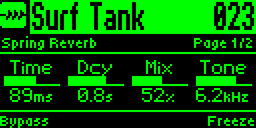
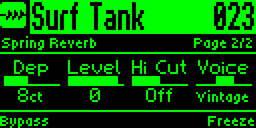
Spring ReverbSpring reverb with the bounce and drip of an amp's spring tank.
Spring Reverb on the pedal’s display, page 1 of 2
Page 1 of 2
Spring Reverb on the pedal’s display, page 2 of 2
Page 2 of 2
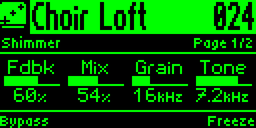
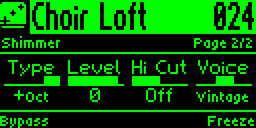
ShimmerReverb whose tail climbs/drops in pitch.
Shimmer on the pedal’s display, page 1 of 2
Page 1 of 2
Shimmer on the pedal’s display, page 2 of 2
Page 2 of 2

Pitch

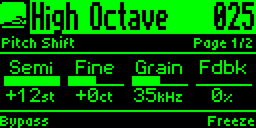
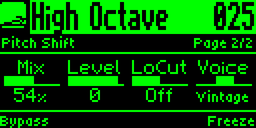
Pitch ShiftShifts your signal up or down by up to an octave. Add feedback to stack the interval on each repeat.
Pitch Shift on the pedal’s display, page 1 of 2
Page 1 of 2
Pitch Shift on the pedal’s display, page 2 of 2
Page 2 of 2
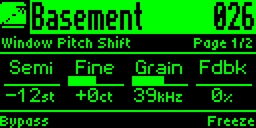
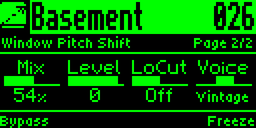
Window Pitch ShiftPitch shifter with a grainier, more vintage character.
Window Pitch Shift on the pedal’s display, page 1 of 2
Page 1 of 2
Window Pitch Shift on the pedal’s display, page 2 of 2
Page 2 of 2
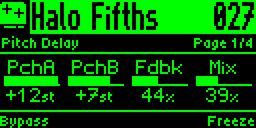
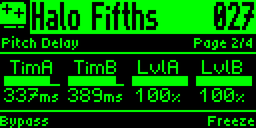
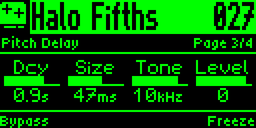
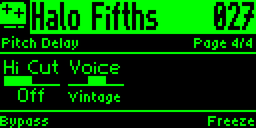
Pitch DelayTwo pitch-shifted delays and a reverb in one loop, so the intervals pile up as the repeats go round.
Pitch Delay on the pedal’s display, page 1 of 4
Page 1 of 4
Pitch Delay on the pedal’s display, page 2 of 4
Page 2 of 4
Pitch Delay on the pedal’s display, page 3 of 4
Page 3 of 4
Pitch Delay on the pedal’s display, page 4 of 4
Page 4 of 4
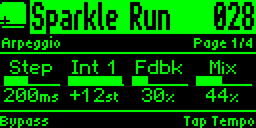
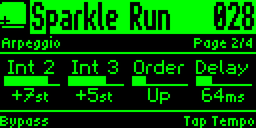
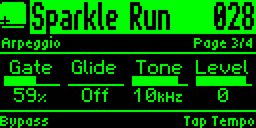
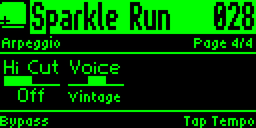
ArpeggioTurns what you play into a stepped sequence of up to four notes, in time with tap tempo. Runs up, down, back and forth, or at random.
Arpeggio on the pedal’s display, page 1 of 4
Page 1 of 4
Arpeggio on the pedal’s display, page 2 of 4
Page 2 of 4
Arpeggio on the pedal’s display, page 3 of 4
Page 3 of 4
Arpeggio on the pedal’s display, page 4 of 4
Page 4 of 4

Tracking

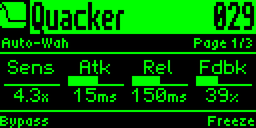
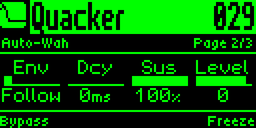
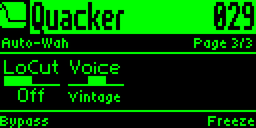
Auto-WahEnvelope filter that opens as you dig in, or sweeps on every pick.
Auto-Wah on the pedal’s display, page 1 of 3
Page 1 of 3
Auto-Wah on the pedal’s display, page 2 of 3
Page 2 of 3
Auto-Wah on the pedal’s display, page 3 of 3
Page 3 of 3
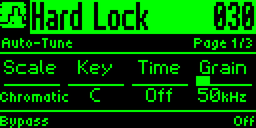
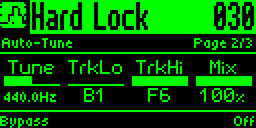
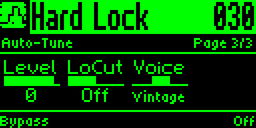
Auto-TunePulls the notes you play into the scale you choose, from a hard robotic snap to a gentle slide.
Auto-Tune on the pedal’s display, page 1 of 3
Page 1 of 3
Auto-Tune on the pedal’s display, page 2 of 3
Page 2 of 3
Auto-Tune on the pedal’s display, page 3 of 3
Page 3 of 3
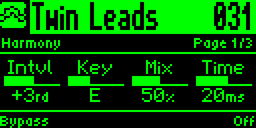
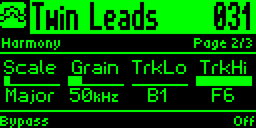
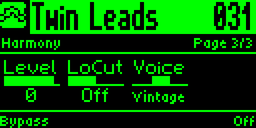
HarmonyAdds a second voice at the interval you choose, kept in your key and scale.
Harmony on the pedal’s display, page 1 of 3
Page 1 of 3
Harmony on the pedal’s display, page 2 of 3
Page 2 of 3
Harmony on the pedal’s display, page 3 of 3
Page 3 of 3
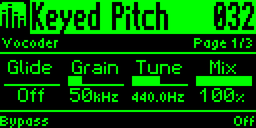
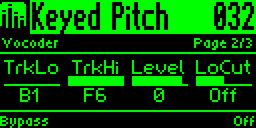
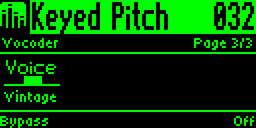
VocoderHold a note on a MIDI keyboard and your guitar plays at that pitch.
Vocoder on the pedal’s display, page 1 of 3
Page 1 of 3
Vocoder on the pedal’s display, page 2 of 3
Page 2 of 3
Vocoder on the pedal’s display, page 3 of 3
Page 3 of 3

Modulation Matrix

The modulation matrix.

Eight routes, twenty-one sources, and almost every parameter on the pedal as a target.

Sources that listen

Four LFOs that can lock to the bar of incoming MIDI clock. Four ADSR envelopes that follow your dynamics or fire on every pick attack.

Pitch tracking, the swell of the effect's own tail, expression, footswitches, MIDI notes and CCs. Even the rotary's spinning horn can drive another control.

A 303 in your effects chain

Sixteen steps of note, accent and slide, clocked by your picking, tap tempo or MIDI. Point it at a filter, a pitch or a delay time and the effect plays the line.

The pedal can generate random acid bassline patterns in any of ten scales.

Modulate the modulation

Each of the eight routes can speed up an LFO, wake up an envelope, or turn another route's depth up and down. You can even morph a whole preset between two scenes.

A few places to start:

  • Tremolo on any algorithm, delay or reverb included.
  • Repeats that duck while you play and bloom when you stop.
  • Filter sweeps through the delay, locked to tap tempo.
  • Wobbling, warped repeats.
  • Stutter that jumps chaotically.
  • Sequencer-driven pitch shift and gate.
  • Delay that kicks in only when you play higher notes.

Build routes on the pedal's own screen or in the browser editor. Every route saves with the preset.

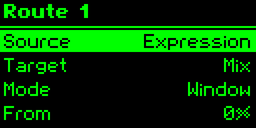
The pedal's display showing Route 1 of the modulation matrix: expression pedal as the source, mix as the target, in Window mode
Route 1
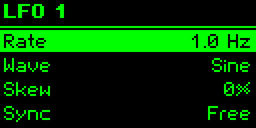
The pedal's display showing LFO 1: rate 1.0 Hz, sine wave, no skew, free-running
LFO
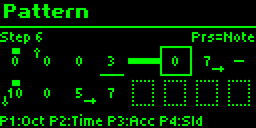
The pedal's display showing the step sequencer's pattern grid, with notes, rests, accents and slides across sixteen steps
16-step pattern
The pedal's main screen with a dotted live needle on the Depth gauge, showing where the modulation has moved it
The live needle

Performance

Tactile performance and control.

Immediate physical control

Every preset maps its four primary parameters directly to dedicated physical knobs. Grab a knob and sculpt your sound immediately—no menu-diving required during performance.

Deep secondary pages are simple to navigate. Reassign any knob to whichever parameter you reach for most.

Freely assignable footswitches

The dual footswitches adapt to every preset. Configure them for tap tempo, delay freeze, rotary speed brake, momentary feedback swell, or relay bypass.

Expand your control via the external TRS jack, which accepts an expression pedal mapped to multiple parameters simultaneously, or up to three external auxiliary footswitches.

Precision clock synchronization

Lock delays and modulation LFOs to your session using MIDI clock sync or tap tempo.

Choose rhythmic subdivisions per preset—from dotted-eighth gallops to triplet flutters—or let algorithms run un-synced for organic analog drift.

The modulation LFOs and step sequencer can lock to the bar and downbeat of incoming MIDI clock, so a sweep or sequence starts where the drum machine's bar does.

Connections

Engineered for modern pedalboards.

Every connection is positioned on the rear panel, allowing pedals to sit flush against one another with zero wasted space on crowded boards.

Rear panel connectivity:

  • 1/4" Instrument In & Out (+4 dBu line-level capable for synths & guitars)
  • 3.5mm TRS MIDI In & Out (Type A standard)
  • 1/4" External Control (continuous expression or 3-button footswitch)
  • USB-C (WebMIDI editor and firmware updates)
  • Standard 9V DC power (centre-negative, ~200 mA)

Full MIDI implementation includes continuous CC control over every parameter, instantaneous Program Changes, and SysEx preset backup.

Powered from standard 9V pedalboard power supplies. Because it is genuine analog hardware without heavy DSP, its current draw is comparable to a classic analog delay pedal.

The rear of the Analog Multi Effect, showing 1/4" output, 3.5mm TRS MIDI out,
            3.5mm TRS MIDI in, 1/4" external control jack, USB-C, 9V DC input, and 1/4" instrument
            input.

Web Editor

Zero-install browser control.

Connect the pedal to your computer via USB-C and launch the editor in any modern browser.

No bloated software installers, no background drivers, and no account logins. Audition algorithms, organize your 128 preset slots, build modulation routes and step patterns, fine-tune expression curves, and flash firmware updates directly from a web browser.

Specifications

Hardware specifications.

Current engineering specifications for the production prototype platform.

Signal path
100% analog
Delay lines
3 × 2048-stage bucket-brigade (BBD)
VCAs
8 discrete analog gain cells
Analog filters
2 active state-variable filters
Audio conversion
None in signal path (zero latency)
Maximum signal level
+4 dBu (guitar & line level)
Impedance
1 MΩ in, <20 Ω out at 1 kHz
Signal to noise
80 dB (companded wet path)
Control architecture
96 MHz digital supervisor
Algorithms
33, each a dedicated analog circuit
Presets
128 onboard slots
Modulation
8 routes per preset: 4 LFOs, 4 envelopes, 16-step sequencer, pitch, MIDI, expression
Delay time
~600 ms maximum
Display
2.4" phosphor-green OLED
Controls
4 assignable knobs, push encoder, 2 footswitches
MIDI
3.5mm TRS (Type A) In/Out: PC, CC, SysEx, clock
External control
Expression pedal or up to 3 footswitches
USB
USB-C (WebMIDI editor & firmware)
Power
9V DC, centre-negative, 200 mA+
Bypass
True bypass, relay switched
Dimensions
105 × 113 × 43 mm
Questions

Technical & practical details.

Is the signal path truly 100% analog?

Yes. From input jack to output jack, your audio stays completely in the analog domain. The signal flows through genuine bucket-brigade delay lines, discrete VCAs, and active analog filters. While an onboard microcontroller samples the input solely for pitch and level detection, that sampled data is never output. There is no D/A reconstruction, no digital audio processing, and zero latency.

How does an analog pedal store and recall presets?

A dedicated 96 MHz digital supervisor manages control voltages, clock frequencies, and VCA levels without ever touching the audio path. A preset is a snapshot of those precision voltage settings. When you recall a preset, the physical analog circuits reconfigure instantly.

How is this different from a digital multi-effects processor?

Digital modelers convert your instrument into digital samples and run mathematical DSP algorithms to simulate analog components. The Kill Room Analog Multi Effect is the actual physical hardware: real bucket-brigade charge transfers, authentic tape-style saturation, natural high-frequency roll-off, and resonant analog filter behavior.

Can it run multiple effects simultaneously?

Each preset runs one dedicated algorithm at a time. Rather than compromising tone to share components across simultaneous effects, the pedal's entire analog hardware matrix—all three BBD lines, eight VCAs, and filters—is marshaled to make that single sound exceptional.

What can the modulation matrix do?

Every preset has eight modulation routes. Each one takes a source and moves a control with it: four LFOs that can lock to the bar of incoming MIDI clock, four ADSR envelopes that follow your playing or fire on each pick, a 16-step sequencer with accent and slide, pitch tracking, expression, footswitches, and MIDI notes and CCs. Targets include almost every parameter of the running algorithm, the wet, dry and repeat levels, a morph between two scenes, and the speed or depth of other modulation. Set it up on the pedal or in the browser editor, and it saves with the preset.

Will it integrate with my MIDI controller and pedalboard switcher?

Yes. It features standard 3.5mm TRS MIDI In and Out jacks (MIDI Association Type A standard). It supports Program Change (PC) for instantaneous preset switching, continuous Control Change (CC) for every parameter, SysEx preset backup, and MIDI clock synchronization with selectable note divisions.
Can I use it with synthesizers and line-level studio equipment?

Yes. With a +4 dBu maximum input level and 1 MΩ input impedance, it has ample headroom to handle hot synthesizer outputs, drum machines, and studio line sends cleanly without unwanted clipping.
What is the maximum delay time?

Up to approximately 600 ms of genuine bucket-brigade delay time across the three internal BBD lines.

How do I power it on a pedalboard?

It runs on industry-standard 9V DC centre-negative power (minimum 200 mA), making it drop-in compatible with standard isolated pedalboard power supplies.

Is it true bypass?

Yes. It features mechanical relay-switched true bypass. When disengaged, the input jack connects directly to the output jack, leaving your clean tone completely unaffected.

Do I need to install software or drivers to edit presets?

No. Connect the pedal to your computer via USB-C and open the web editor in any modern browser. Powered by WebMIDI, it connects instantly with no software installation, no background drivers, and no account setup.

What is the estimated price and availability?

Targeting around USD $400, with availability anticipated in November 2026. Join the launch list below to receive audio demos, pre-order dates, and early batch updates.

Development

Crafted in Wellington.

Working hardware prototypes are currently being put through their paces in our Wellington, New Zealand workshop. The analog audio path is fully established—delivering rich, organic, dynamic sound across all algorithms.

We are actively refining algorithm firmware as we advance toward the initial production run.

Join the launch list below to receive direct sound demos, behind-the-scenes build updates, and priority notice when pre-orders open.